TRAIN TRACK® Web Edition Help Manual
Enroll in a Class
TRAIN TRACK® allows you to enroll in scheduled classes online.
Enroll Yourself in a Class
To enroll in a class, follow these steps
| Step | Illustration |
| 1. From the navigation bar, select Class > Scheduled Classes. | 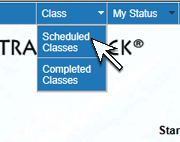 |
| 2. The Scheduled Class List screen will open. Click Open next to the class you wish to enroll in. | 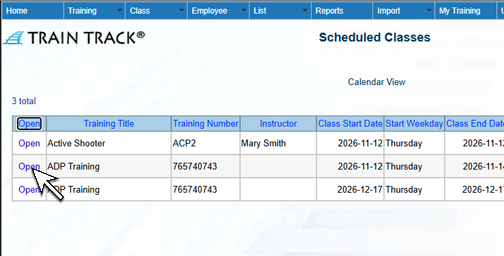 |
| 3. The Enroll screen will open. Click Enroll. | 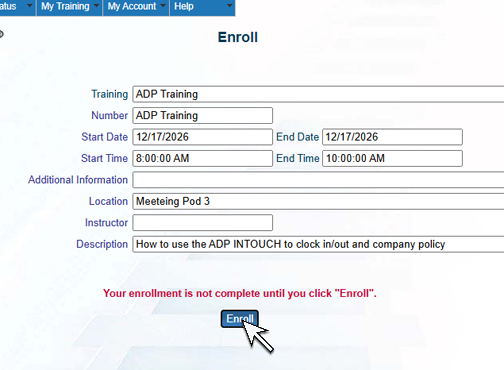 |