TRAIN TRACK® Web Edition Help Manual
Training Types
TRAIN TRACK® allows you to edit the list of training types available to select from. You may assign a type to each training. You may view training types as a list, and you may also view a detail record for each training type.
View Training Types
To view training types, follow these steps
| Step | Illustration |
| 1. From the navigation bar, select List > Training Type. | 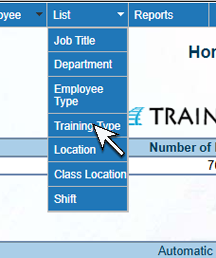 |
| 2. The Training Type List screen will open. | 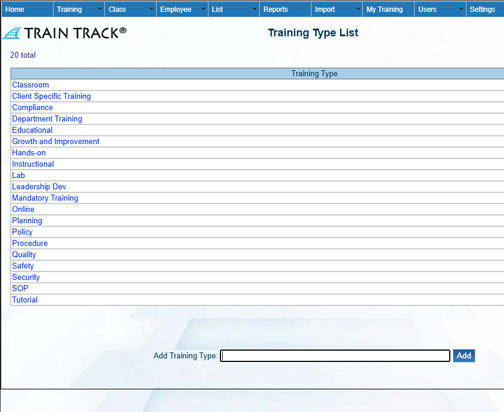 |
| 3. Click on the name of the training type you wish to view. | 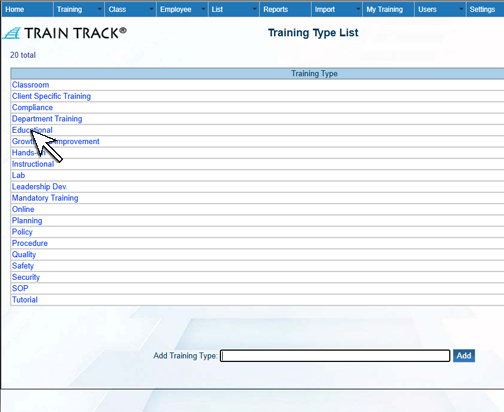 |
| 4. The Training Type Detail screen will open. | 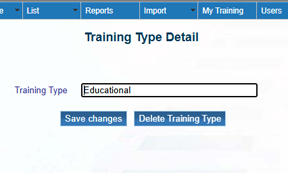 |
To add a new training type, follow these steps
| Step | Illustration |
| 1. Open the Training Type List screen. | |
| 2. Type the name of the training type into the Add Training Type field. | 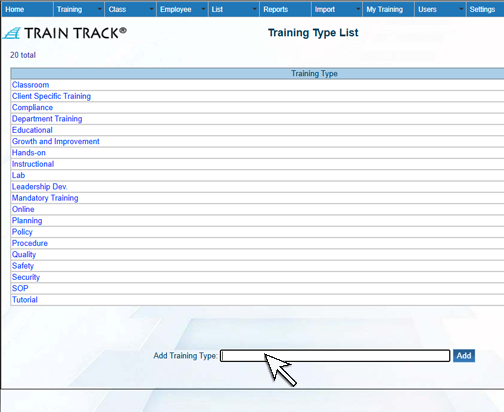 |
| 3. Click Add. | 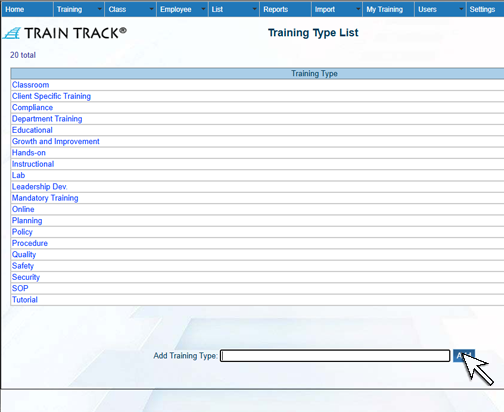 |
To edit a training type, follow these steps
| Step | Illustration |
| 1. Open the Training Type List screen. | |
| 2. Click on the training type you wish to edit. | |
| 3. The training type detail screen will open. Edit the training type. | 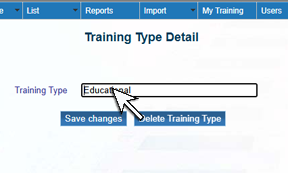 |
| 4. Click Save Changes. | 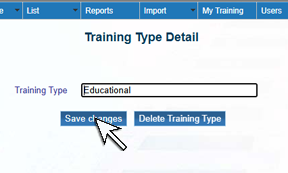 |
To delete a training type, follow these steps
| Step | Illustration |
| 1. Open the Training Type List screen. | |
| 2. Click on the training type you wish to delete. | |
| 3. The training type detail screen will open. Click Delete Training Type. | 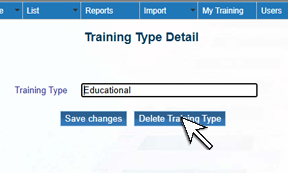 |
| 4. Click Delete. | 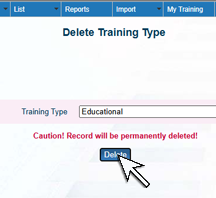 |