TRAIN TRACK® Web Edition Help Manual
My Status
TRAIN TRACK® allows you to view the status of your required training. You may view the status of all required training, training due, training completed, or scheduled classes.
Status of Required Training and Linked Documents
To view the status of all required training, follow these steps
| Step | Illustration |
| 1. From the navigation bar, select My Status > Status of Required Training. | 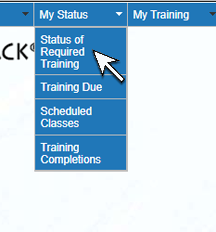 |
| 2. The Status of Required Training screen will open. If you wish to view a linked document, click Open File. | 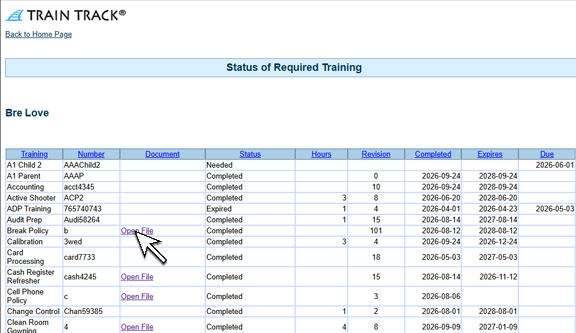 |